
WordPress activity log, built for security
Know exactly what happens on your site.
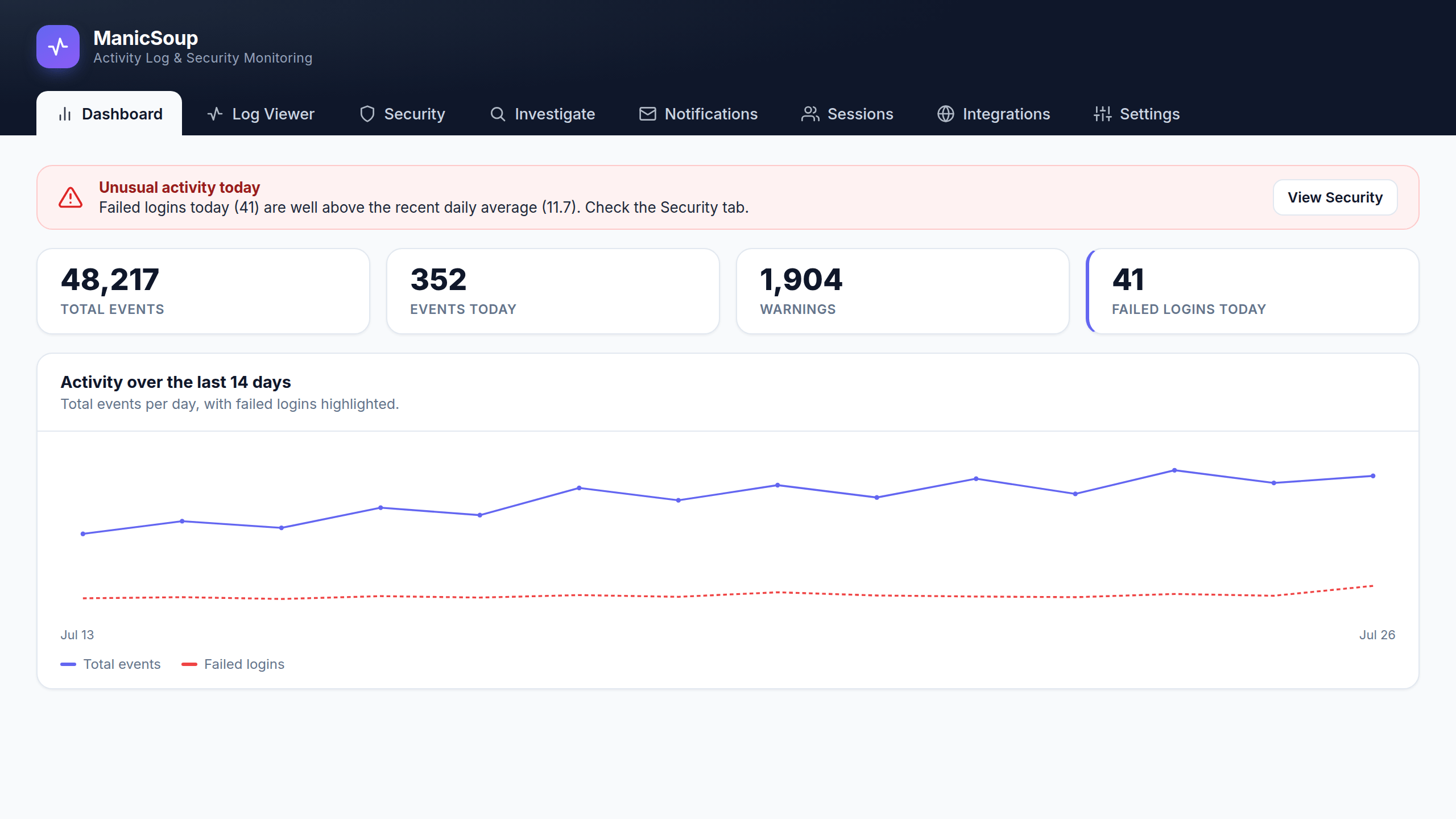
ManicSoup Logger records every change, detects intrusions, scores threats, and reconstructs incidents — so you can investigate, not just audit.
Why ManicSoup Logger
More than an audit log.
Most logs just list events. ManicSoup Logger helps you understand them.
See everything
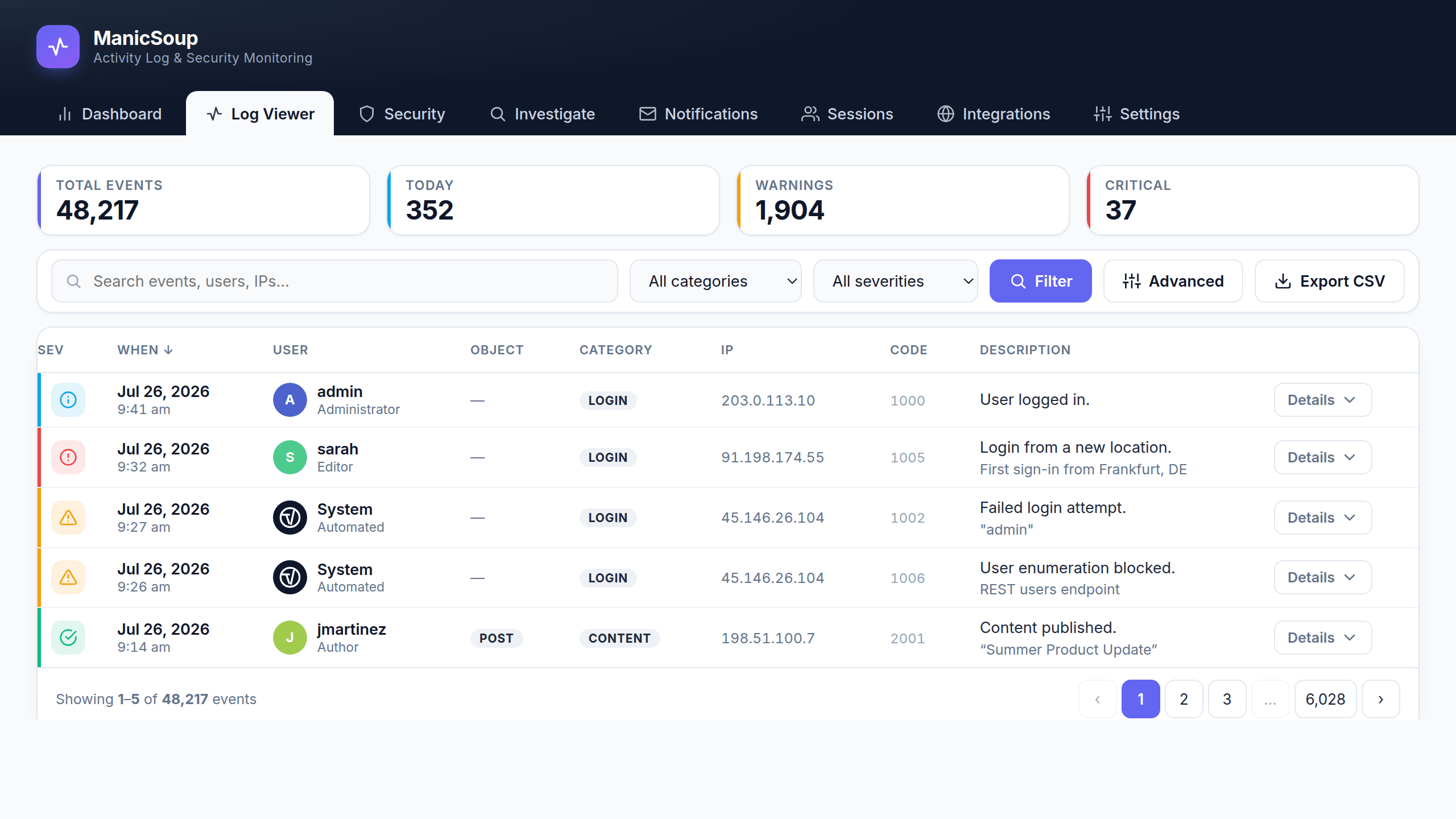
Every login, content edit, user and role change, plugin and settings change — with user, IP, and a clear description. Searchable and filterable.
Catch intrusions
Password spraying, brute force, and distributed attempts are grouped into campaigns — one clear signal instead of endless failed-login lines.
Know what matters
A threat-scoring engine ranks the highest-risk IPs and accounts right now, so you stop guessing which alerts to act on.
The activity log
Every change, searchable.
A clean, modern log viewer with severity at a glance. Filter by user, time, or severity and find the exact moment something changed.
Security analytics
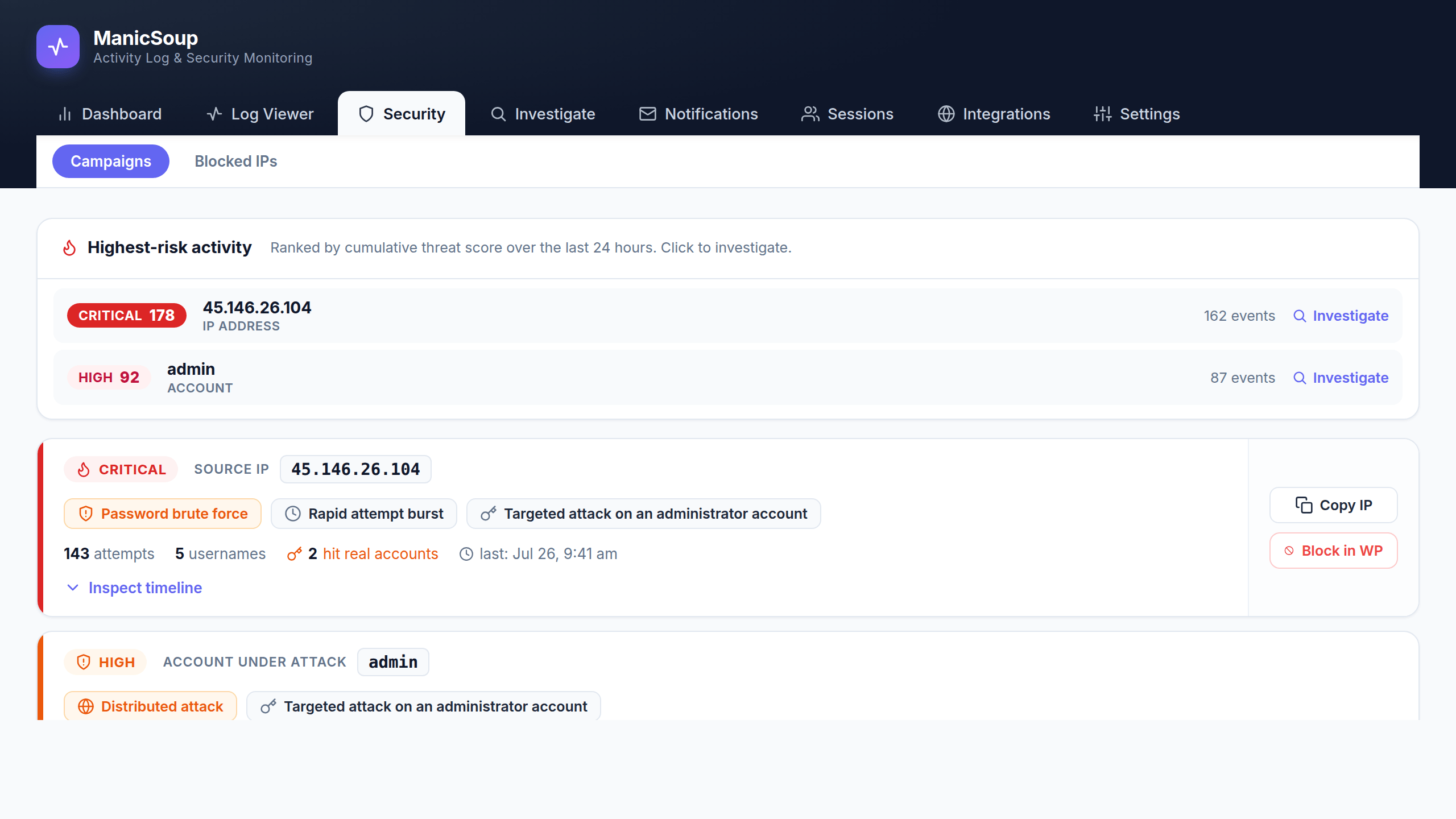
See the highest-risk activity first.
ManicSoup Logger scores every security-relevant event and surfaces a ranked feed of the riskiest IPs and accounts — with detected campaigns grouped for you.
Incident forensics
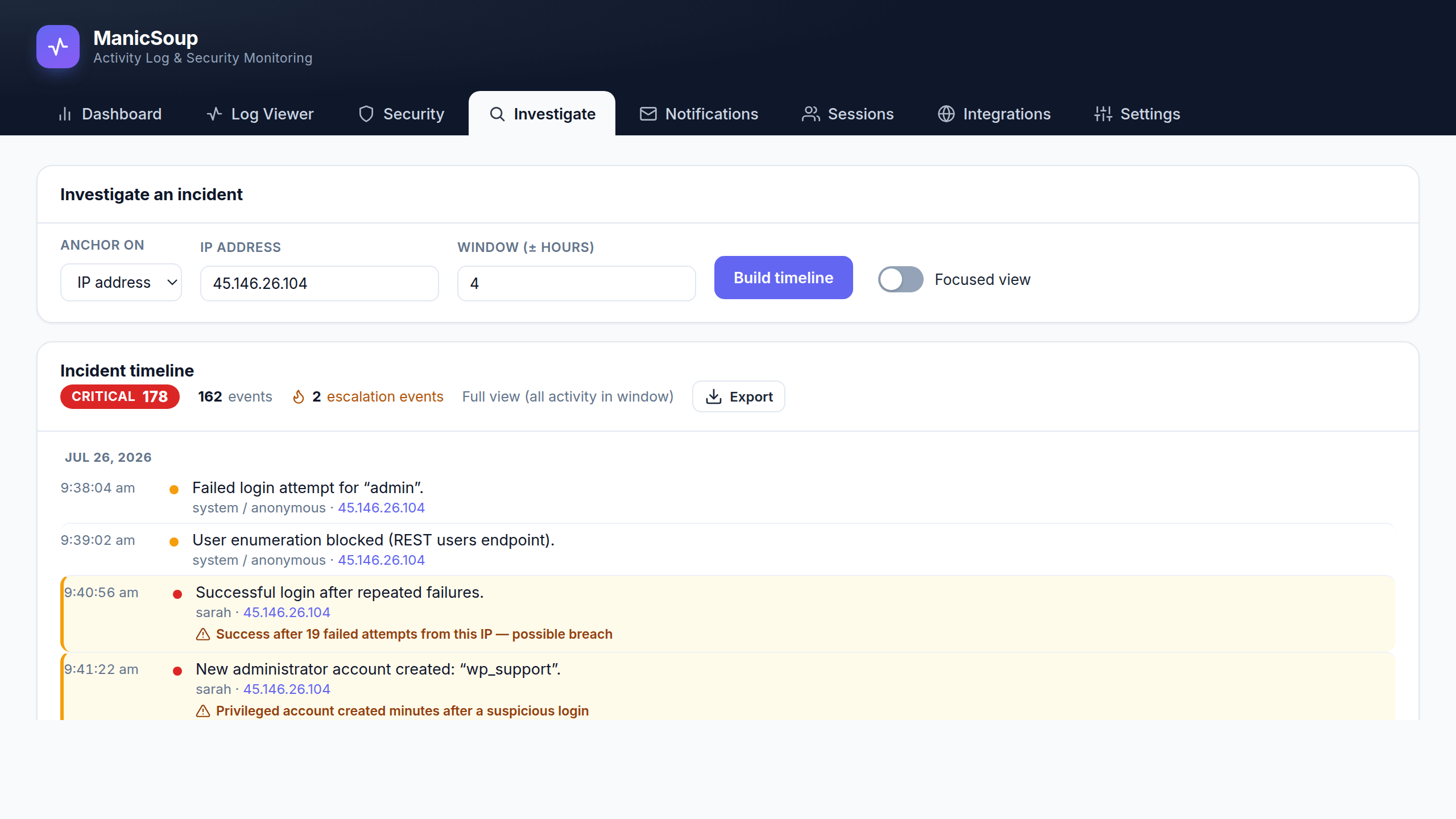
Reconstruct any incident.
Anchor on an IP, an account, or a moment in time and rebuild the full chain of events around it — with escalations flagged and a cumulative threat score for the window.
Active response
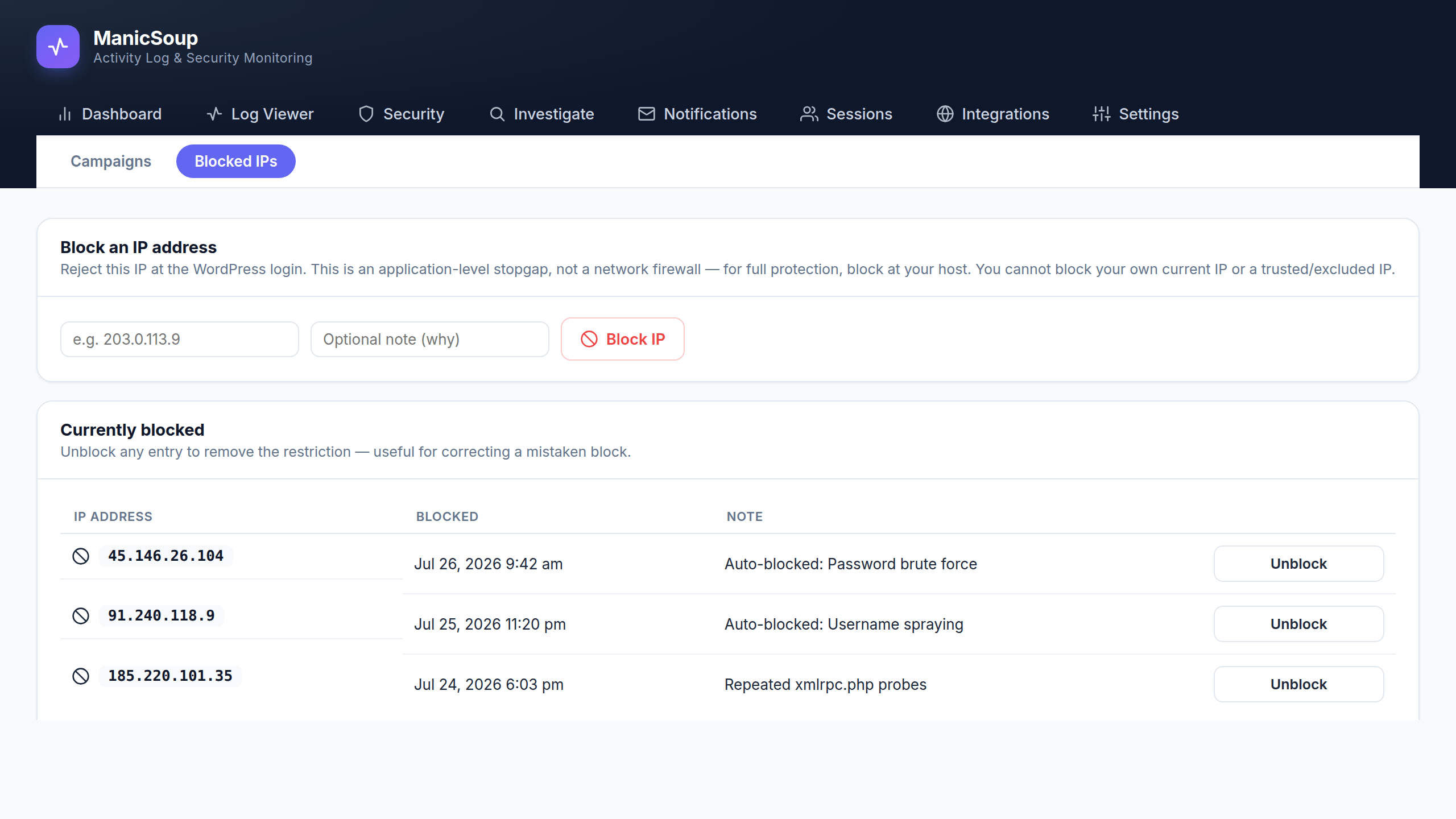
Block attackers in one click.
Block a single IP from any detected campaign, or every attacking IP at once. Your own address and trusted IPs are skipped automatically, and every block is logged.
Email alerts
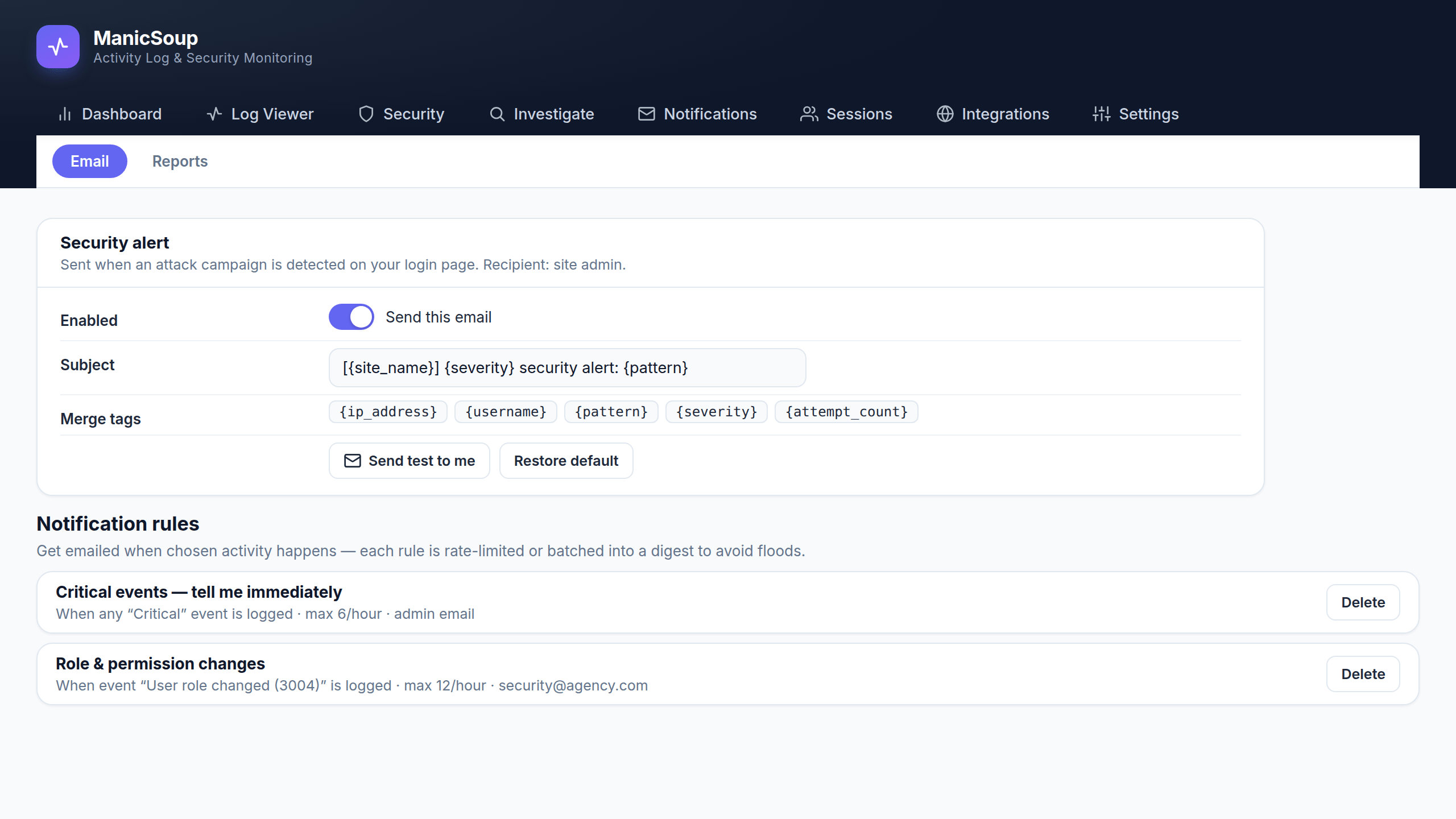
Alerts on your terms.
Build notification rules for exactly the events you care about — a severity, a category, or one specific event. Rate limits and digests keep your inbox sane.
Scheduled reports
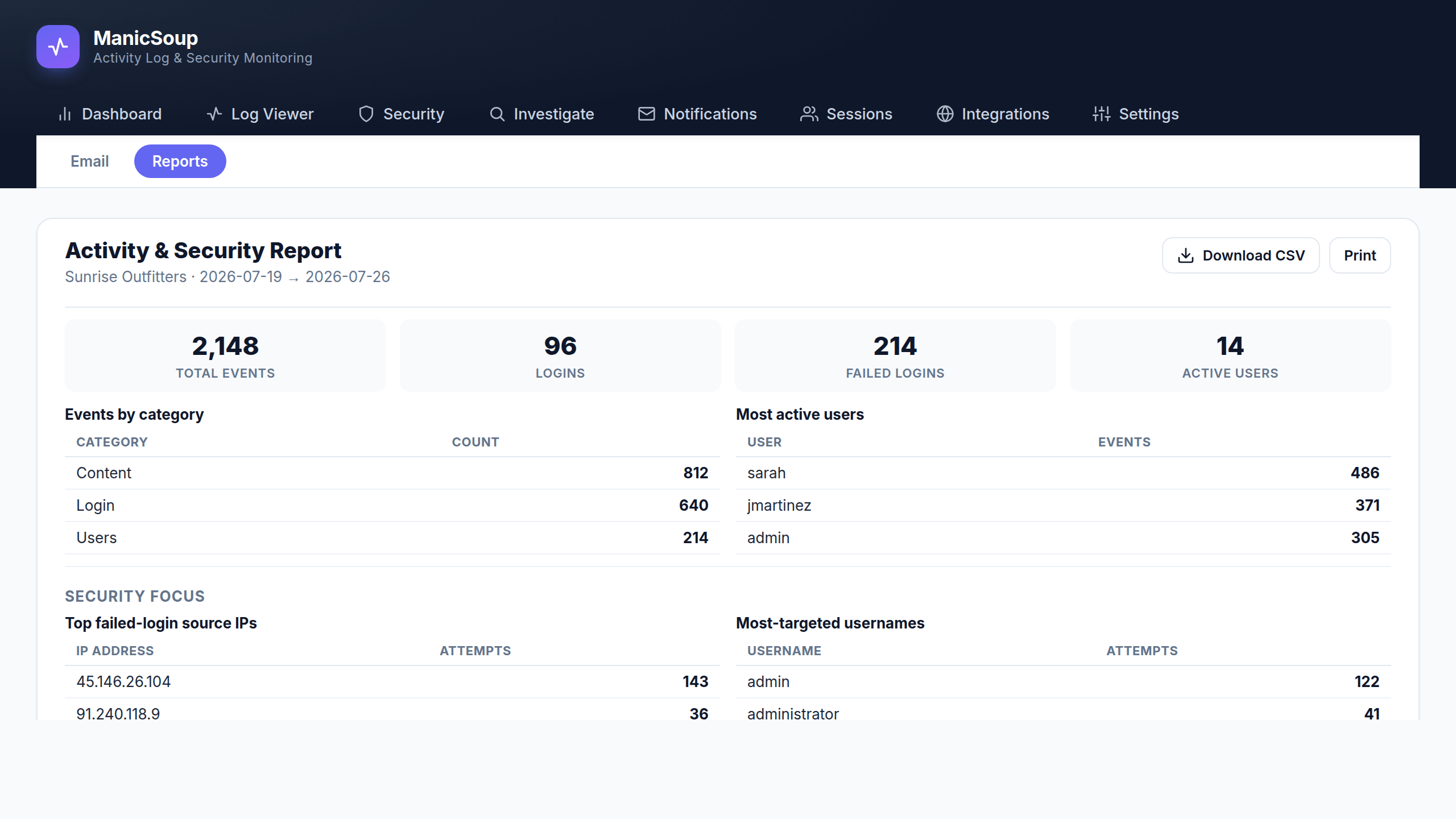
Reports worth forwarding.
Generate an activity and security summary for any date range, download it as CSV, or have it emailed to you — or your client — every week or month.
Session control
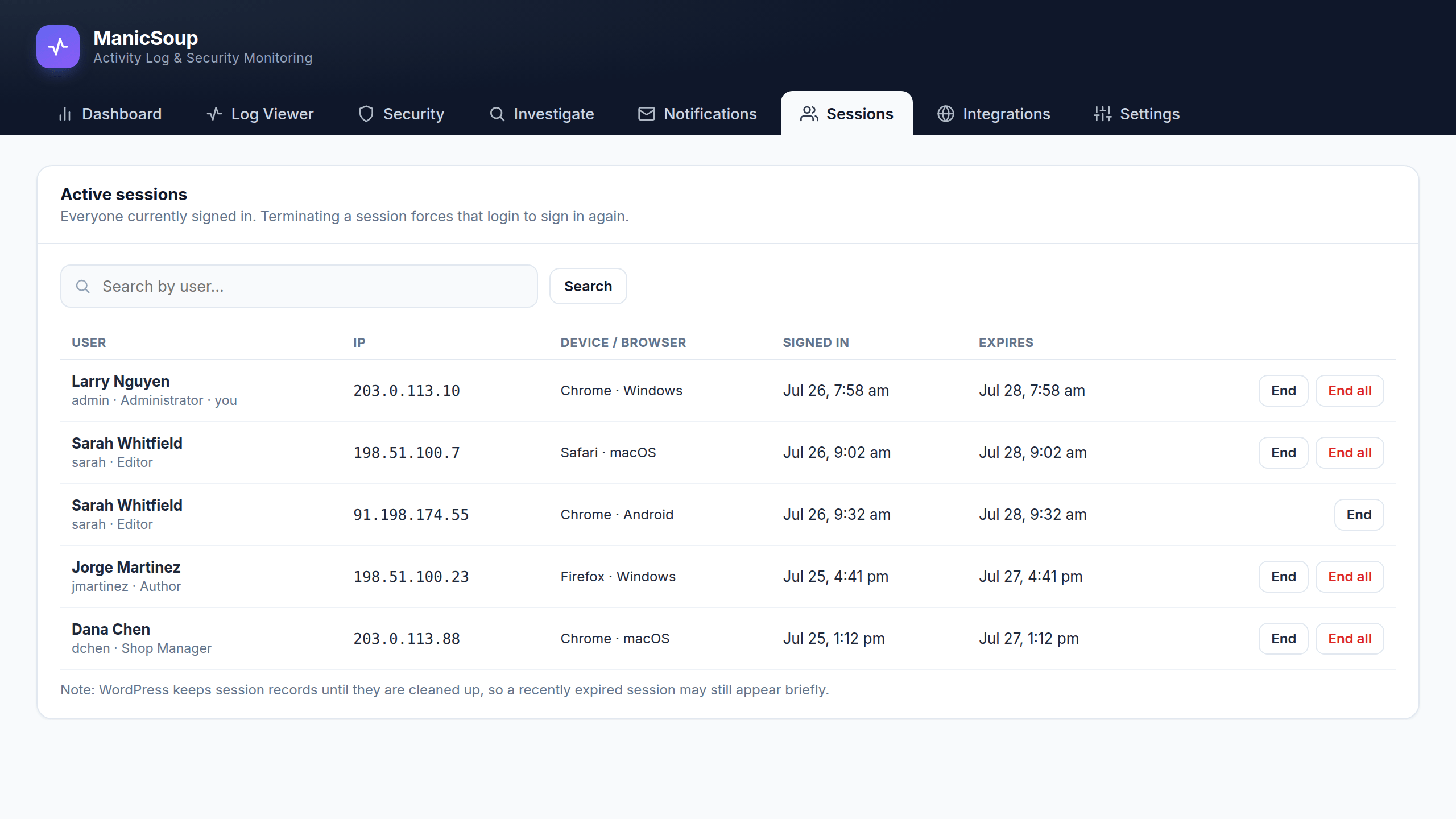
See who is signed in right now.
Every active session with IP, device, and sign-in time. End one session — or force a user out everywhere — in a single click.
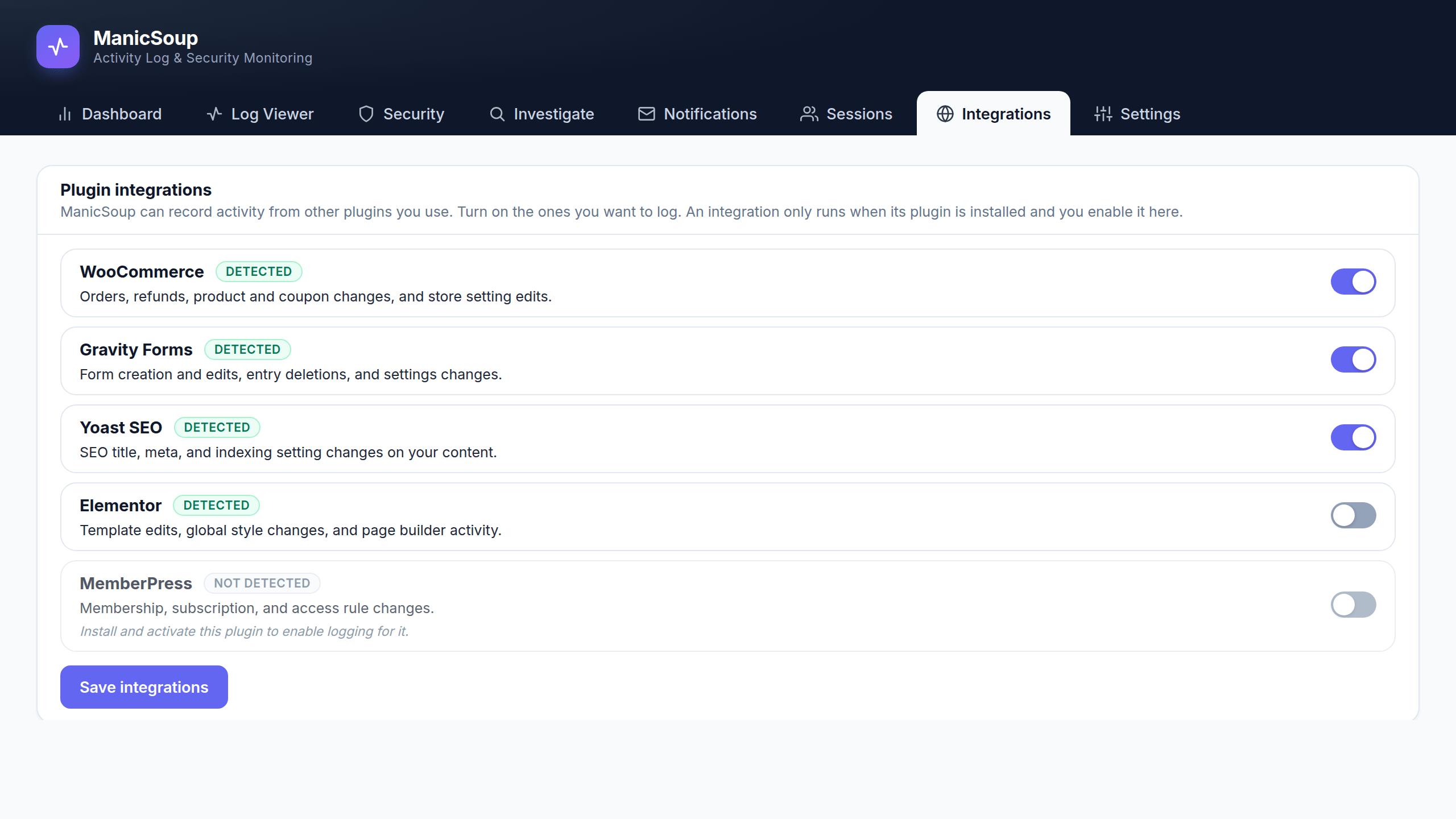
Plugin integrations
Logs your whole stack.
Optional sensors record activity from WooCommerce, Gravity Forms, WPForms, Elementor, Yoast SEO, MemberPress, LearnDash, Stripe, and more — only when you turn them on.
Questions, answered
ManicSoup Logger, answered.
What is a WordPress activity log?
A record of every meaningful change on your site: logins, content edits, plugin and theme changes, user and settings updates. ManicSoup Logger writes that record automatically and keeps it in your own database.
Can I see who changed something on my WordPress site?
Yes. Every event records who did it, what changed, when it happened, and from which IP address, so questions like who deleted that page take seconds to answer.
Does ManicSoup Logger detect attacks?
The premium security toolkit scores threats, detects intrusions, and catches credential attacks such as login brute-forcing, then reconstructs the incident so you can see exactly what happened.
Is my activity data sent anywhere?
No. ManicSoup Logger is fully self-hosted. Everything stays in your own WordPress database, and nothing is sent to third parties.
Is the free version enough?
For a clean, reliable activity log, yes. It is free on WordPress.org with no account required. Upgrade when you want intrusion detection, threat scoring, reports, and alerts.
Pricing
Pick the tier that fits.
Start free. Upgrade when you need intrusion detection, threat scoring, and the incident timeline.
Lite
- Activity log viewer
- Activity logging engine
- Configurable retention
- Enable/disable events
- Exclude objects from the log
- Reverse proxy / WAF support
- CSV export
- Free-text search
- Attack detection & alerts
Premium
- Everything in Lite, plus:
- Intrusion response & campaigns
- Threat scoring
- Incident investigation timeline
- Auto-block on critical attacks
- User session management
- Notification rules
- Third-party integrations
Elite
- Everything in Premium, plus:
- Automated threat response
- Automated scheduled reports
- Automated retention & cleanup
- Log archiving
- External database storage
- Mirror logs to SIEM/services
- Multisite network support
Compare every feature.
See exactly what each tier includes.