WordPress conflict detection
Your site broke. Culprit knows who did it.
Culprit catches fatal errors and white screens the moment they happen, names the plugin or theme responsible, and shows exactly what changed before the problem started.
Why Culprit
Stop disabling plugins one by one.
The old way is guesswork. Culprit answers the question directly: what broke, and why.
Catch the crash
An early-boot watcher catches fatal errors and white screens the moment they happen, even when the crash hits before your admin can load.
Name the culprit
Culprit identifies the plugin or theme that owns the failing code and tells you in plain English, with an honest confidence score.
See what changed
Every crash comes with the recent changes around it, so the cause stops being a mystery: updates, activations, and version bumps, right next to the error.
The incident list
Every crash, explained.
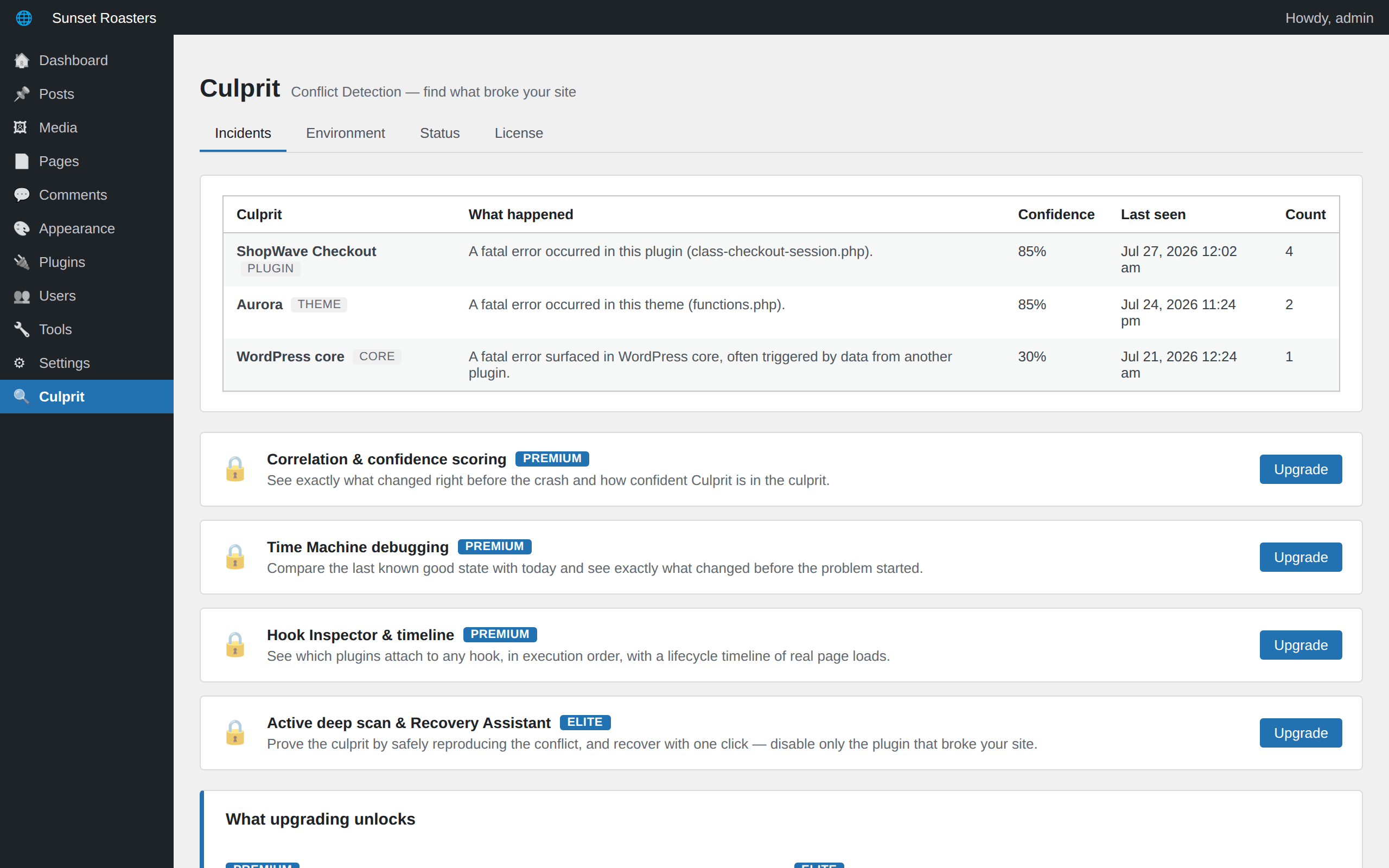
A clean incident view naming the culprit for every fatal error and white screen: what happened, when, how many times, and how confident Culprit is.
Time Machine debugging
See exactly what changed before it broke.
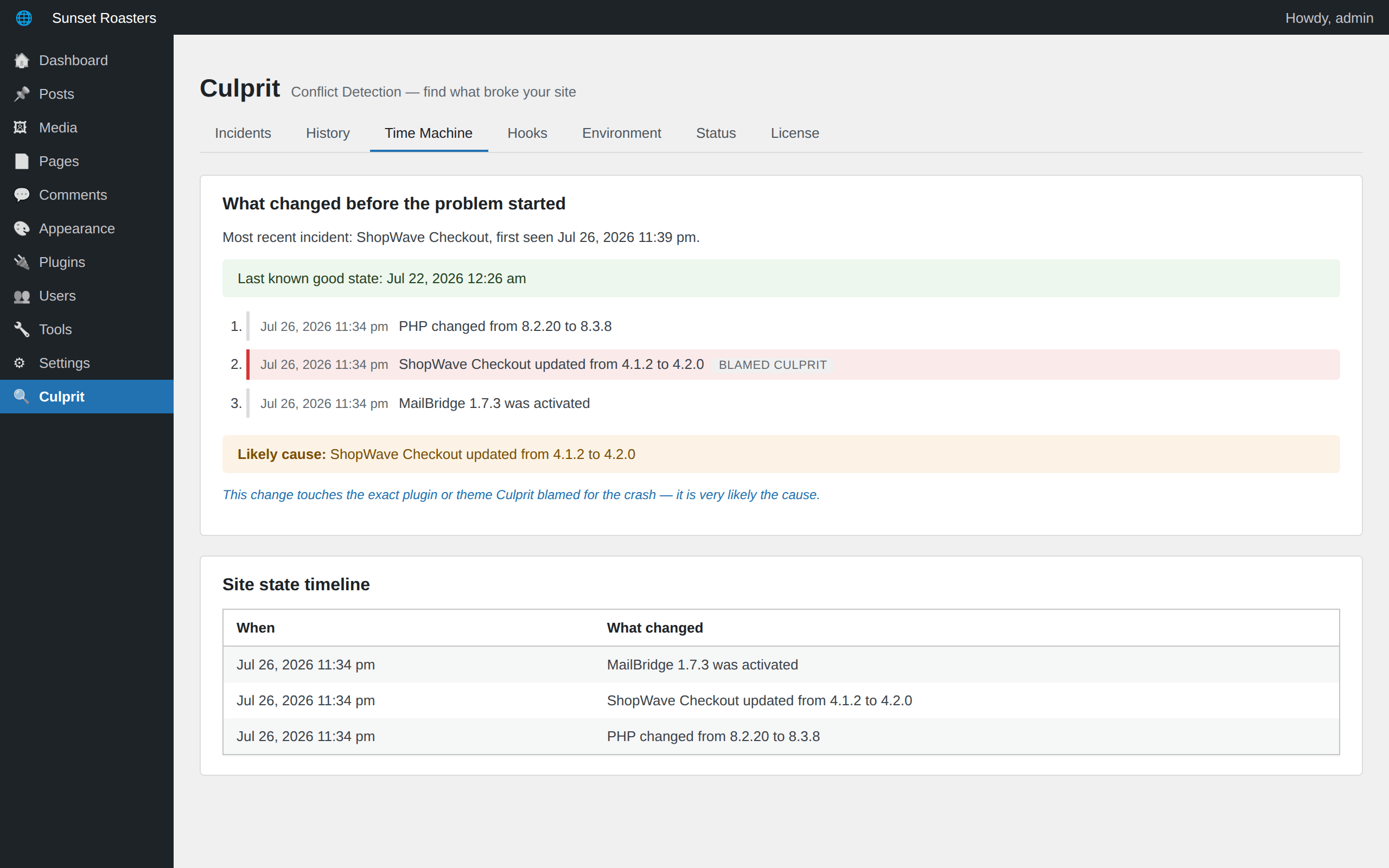
Culprit records a snapshot every time the site changes. When something breaks, it compares the last known good state with today and reconstructs the chain of events, with the likeliest cause flagged.
Recovery Assistant
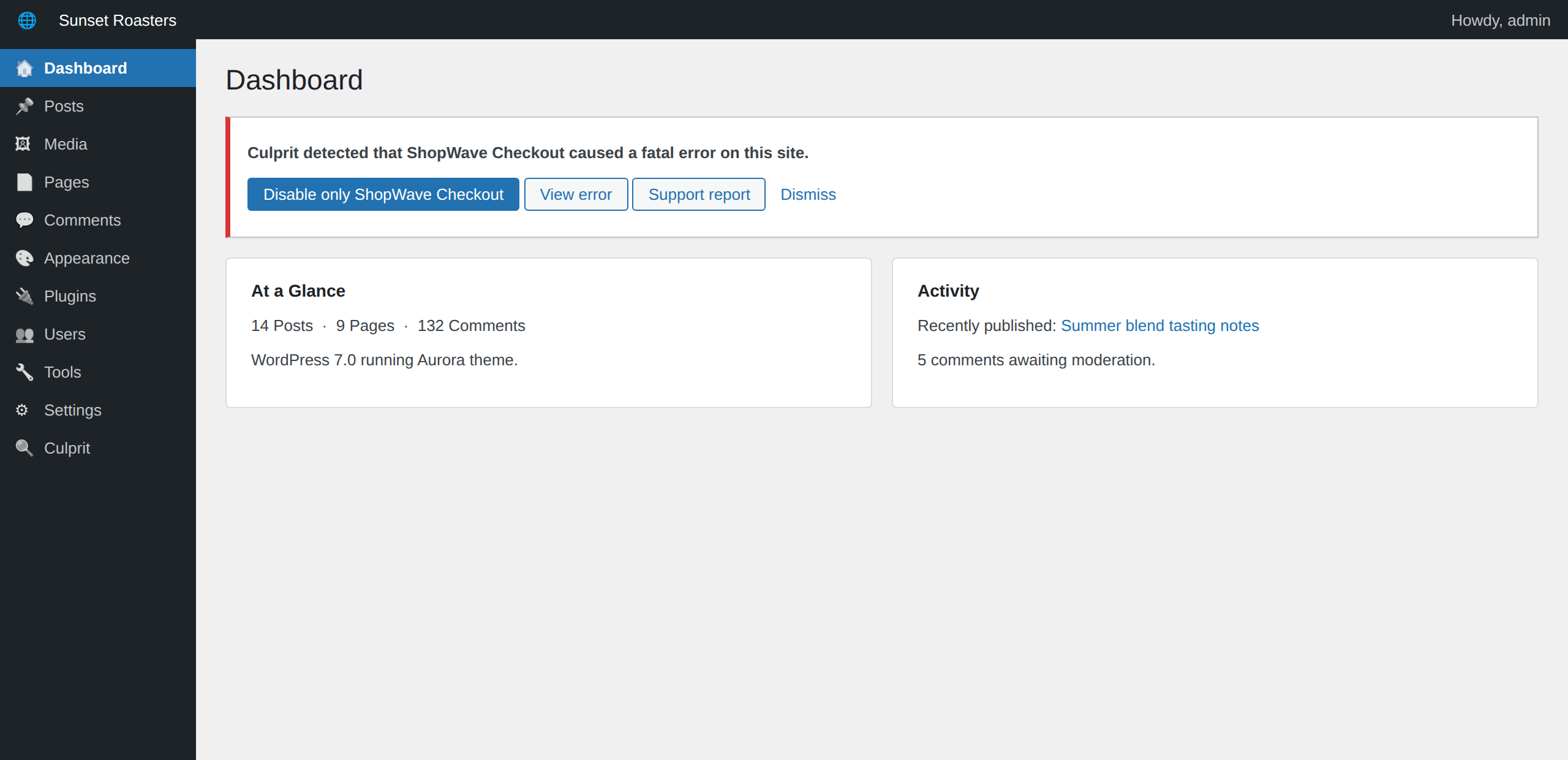
Recover in one click.
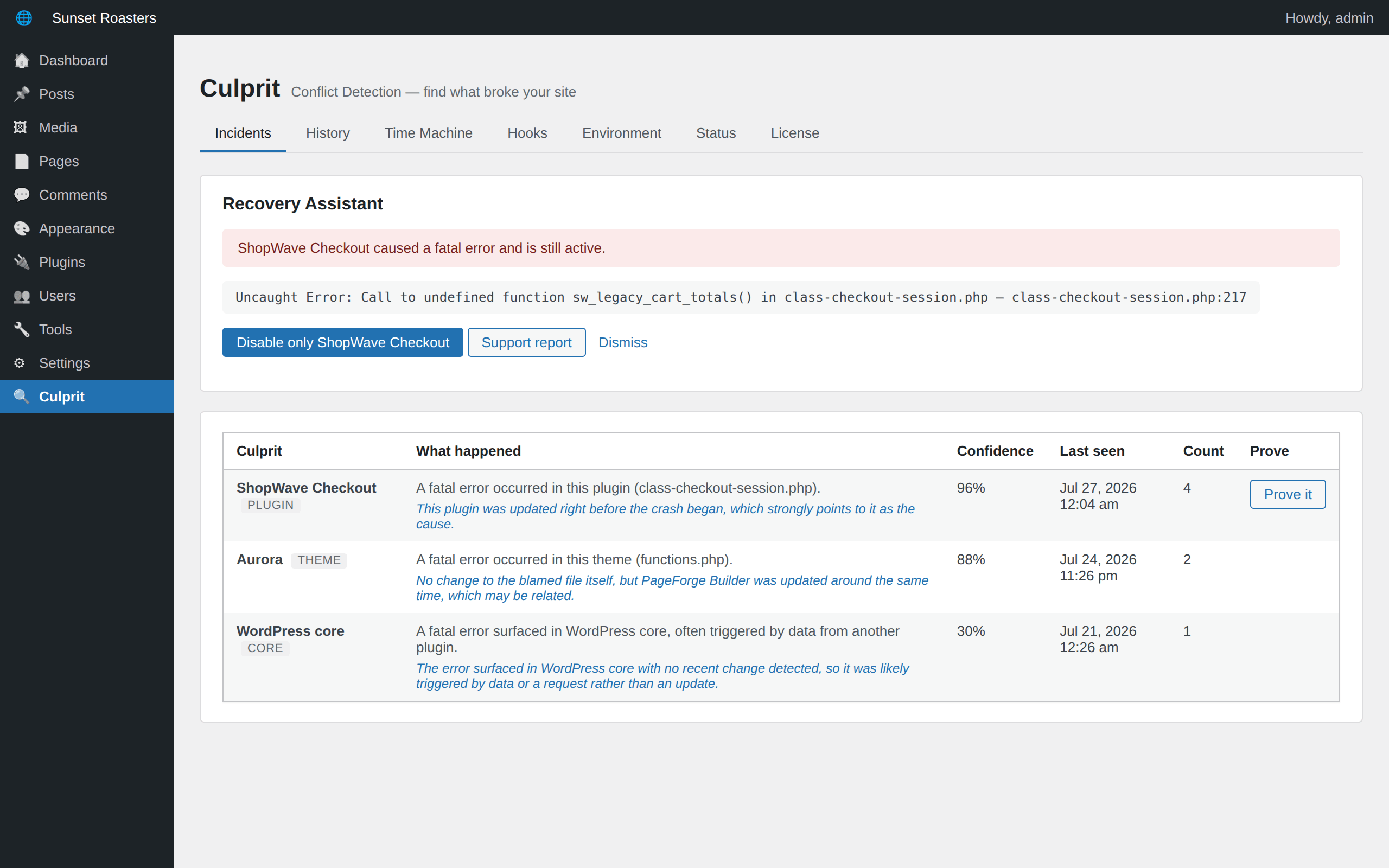
When a plugin takes your site down, Culprit meets you in wp-admin with the fix: disable only the culprit, not your whole plugin stack. Or grab a support report first.
Active deep scan
Do not just suspect it. Prove it.
The deep scan safely reproduces the conflict, briefly suspending the suspect and probing your site to prove which plugin is responsible, then restores everything exactly as it was.
Hook Inspector
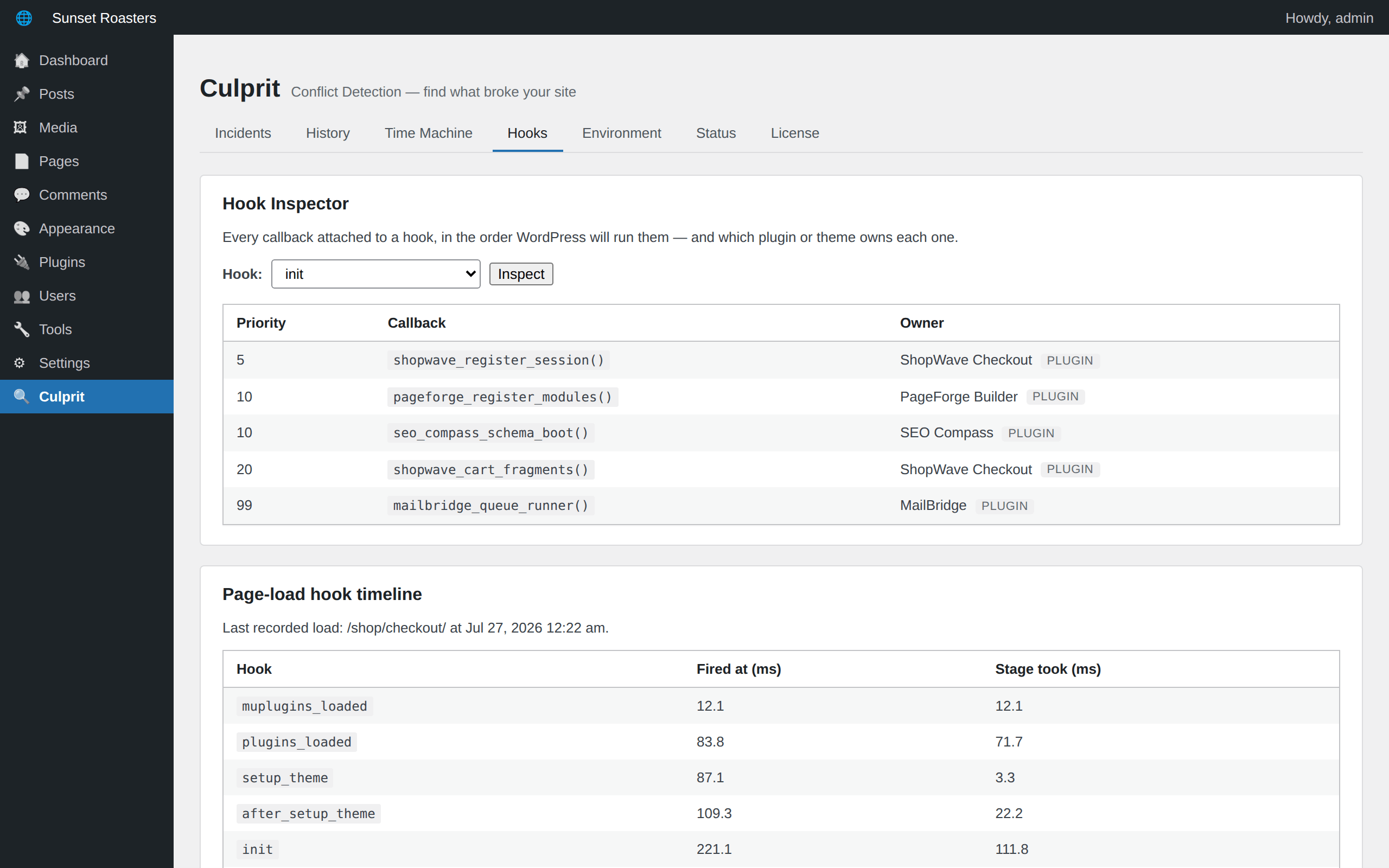
X-ray the WordPress hook system.
Pick any hook and see every attached callback in execution order, with the plugin or theme that owns it, plus a page-load timeline showing where the time goes.
Environment report
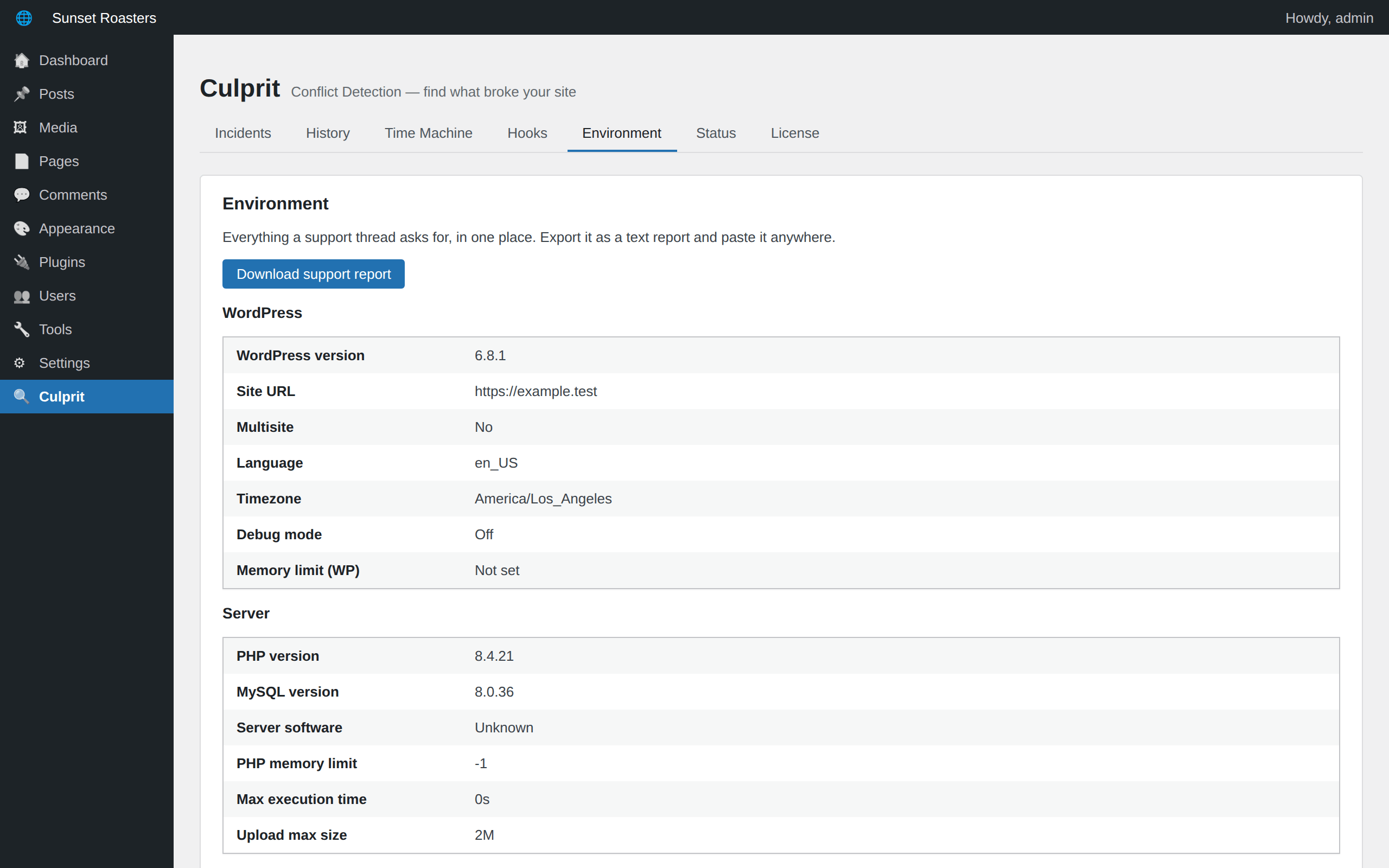
Everything support asks for, in one click.
WordPress, PHP, database, server, caching, theme, and plugin versions in one tab, downloadable as a plain-text report you can paste into any support thread.
Always-on watcher
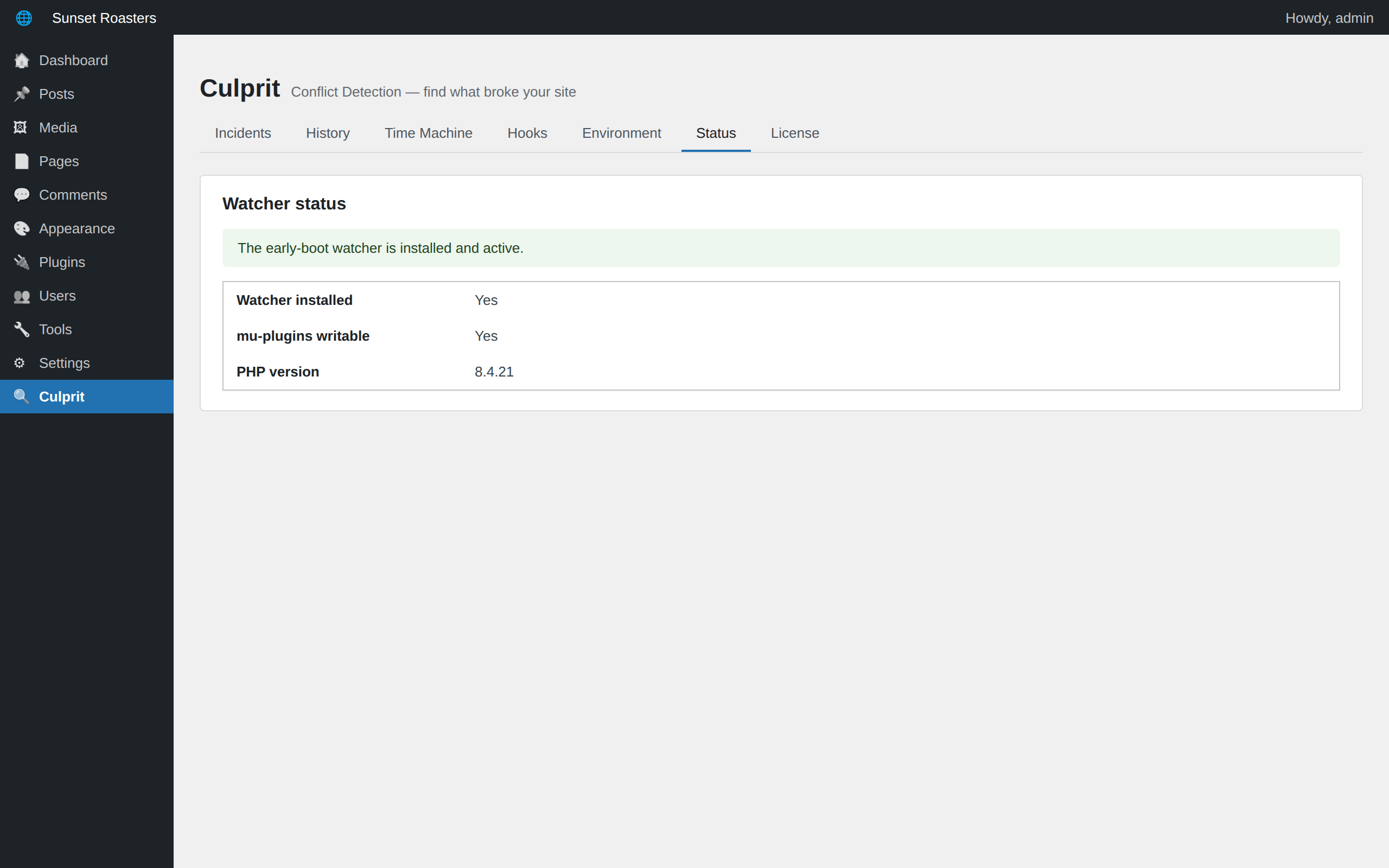
On duty before WordPress even loads.
A tiny early-boot watcher loads before normal plugins, so it catches the crashes that lock you out of your own admin, with a graceful fallback on restricted hosts.
A free version that delivers
Free finds the culprit. Paid explains and fixes it.
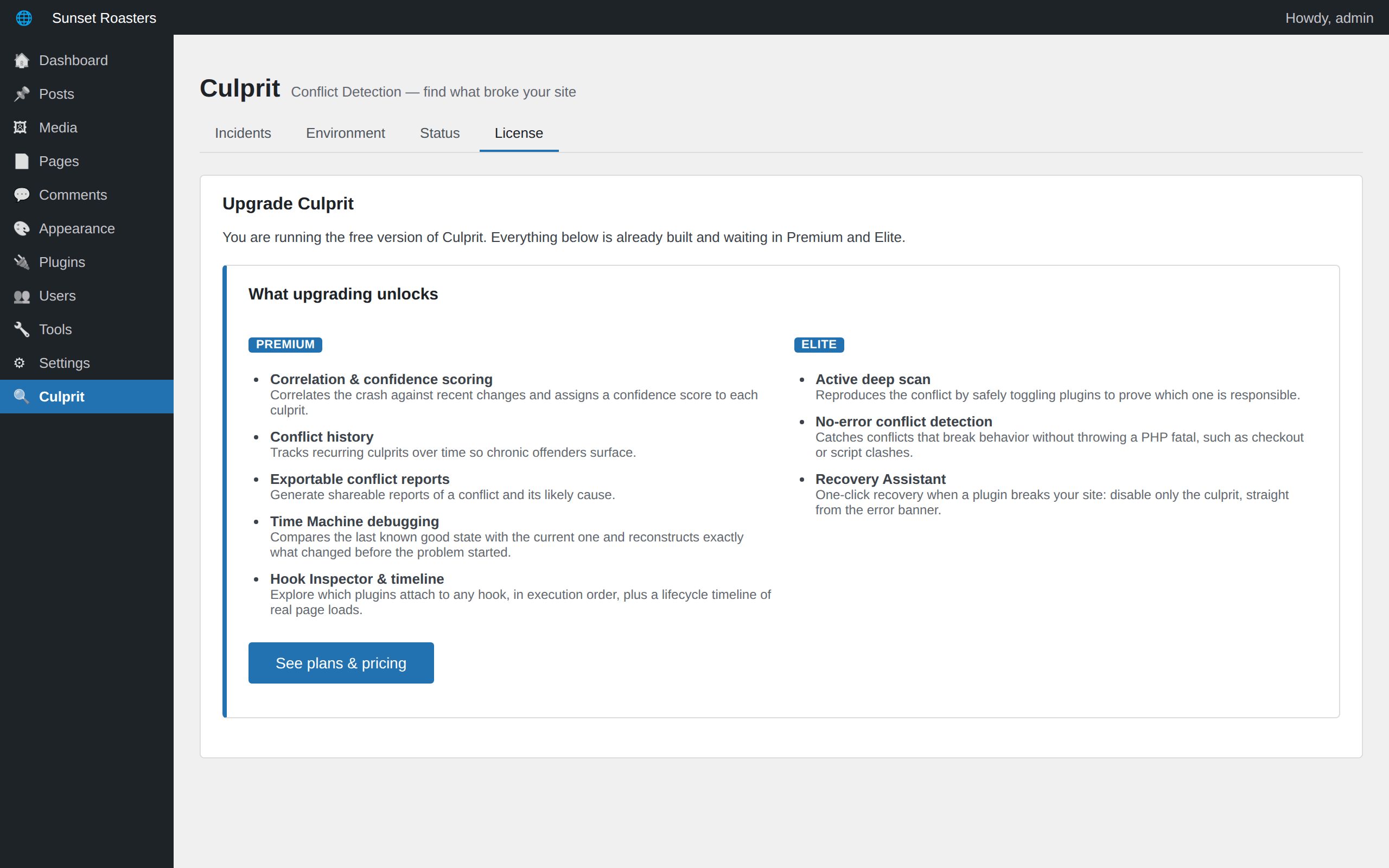
The free version genuinely answers what broke: crash capture, culprit identification, recent-change context, and the environment report. Premium adds Time Machine and the Hook Inspector. Elite adds the deep scan and one-click recovery.
Questions, answered
Culprit, answered.
How do I find out which plugin broke my WordPress site?
Install Culprit. When a fatal error or white screen hits, it captures the crash, matches the failing code to the plugin or theme that owns it, and names it in plain English with an honest confidence score. No FTP, no error logs, no guesswork.
Does Culprit slow my site down?
No. The watcher is tiny and only does real work in the moment a fatal error actually happens. There is no ongoing scanning and no background load on normal page views.
What if the crash happens before wp-admin can load?
That is what the optional early-boot watcher is for. Enabled with one click, it loads before your plugins do, so even crashes that take down your admin are captured and identified.
Is the free version a trial?
No. The free version on WordPress.org catches crashes, names the culprit, and shows recent changes, permanently. Premium adds correlation scoring, Time Machine debugging, and the Hook Inspector; Elite adds the active deep scan and one-click recovery.
Can Culprit fix my site, or only tell me what broke?
Elite includes the Recovery Assistant: one click disables only the plugin that crashed your site, bringing everything else back online while you investigate.
Pricing
Pick the tier that fits.
Start free. Upgrade when you need Time Machine debugging, the active deep scan, and one-click recovery.
Lite
- Fatal & white-screen capture
- Culprit identification
- Recent-change context
- Incident list
- Watcher health status
- Environment report
- Correlation & confidence scoring
- Conflict history
- Time Machine debugging
- Hook Inspector & timeline
- Exportable conflict reports
- Active deep scan
- No-error conflict detection
- Recovery Assistant
Premium
- Fatal & white-screen capture
- Culprit identification
- Recent-change context
- Incident list
- Watcher health status
- Environment report
- Correlation & confidence scoring
- Conflict history
- Time Machine debugging
- Hook Inspector & timeline
- Exportable conflict reports
- Active deep scan
- No-error conflict detection
- Recovery Assistant
Elite
- Fatal & white-screen capture
- Culprit identification
- Recent-change context
- Incident list
- Watcher health status
- Environment report
- Correlation & confidence scoring
- Conflict history
- Time Machine debugging
- Hook Inspector & timeline
- Exportable conflict reports
- Active deep scan
- No-error conflict detection
- Recovery Assistant
Compare every feature.
See exactly what each tier includes.